Aligning Letters
You can align the letters in a text unit to the left, center, or right.
- On the editor screen, specify the letters you want to align.
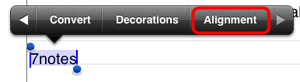
Tap the text unit twice to switch it to edit mode, then select a paragraph to align or place an insertion point in that paragraph. - Tap
 > Alignment and select the position to which the letters is aligned.
* Alternatively, select letters, tap More from the selection buttons that appear, and then tap Alignment.