
Registering a Template/Item
A Template is a customized page you can use frequently. When you create a form such as a purchase order sheet, it can be registered as a template.
An Item is a customized object you can put on a page. Your frequently used objects such as drawings, text, photos, web pages and tables can be registered as items.
Registering a Template
- To register a page as a template, open a target page of a note.
- Select
 > [Register Template].
- Enter a template name and choose [My Templates](*1) or [Shared Templates].
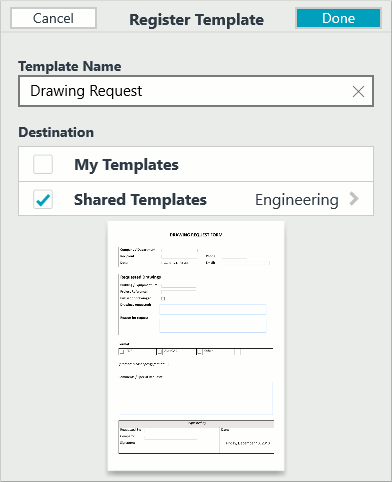
If you select [Shared Templates], you will be asked to select a team drive(*2). - Tap the Done button.
(*1) The registered template is available for only you.
(*2) The members of the team drive can use the registered template.
To open the template, tap > [Add Page] > [Add using Paper Style].
Registering an Item
- To register an object as an item, select it using the Lasso tool.
- Select [More] > [Register Item] in the context menu.
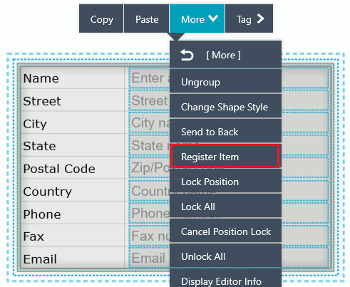
- Enter an item name and choose [My Items](*1) or [Shared Items].
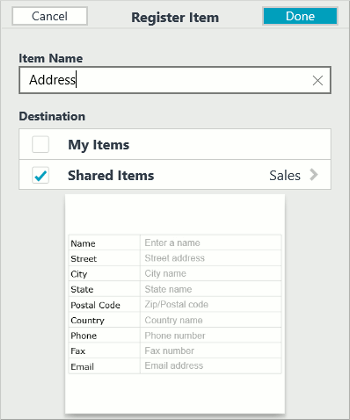
If you select [Shared Items], you will be asked to select a team drive(*2). - Tap the Done button.
(*1)The registered item is available for only you.
(*2)The members of the team drive can use the registered item.
To open the item, tap > [Add Item].
-
Overview
-
Basic Editing
-
Effective Editing
-
Spreadsheet
-
Calendar
-
Voice Recording
-
Managing Pages
-
Organizing Notes
-
Using Tags
-
Sharing Notes
-
Customization