
Registering Converted Alternatives
Register words that are frequently used or difficult to convert as converted alternatives so that you can enter them easily.
If you register short input text for a long word or phrase, you can quickly enter the word or phrase.
- On the editor screen, tap the text unit twice to switch it to edit mode.
- Tap
 > User Dictionary.
 - On the user dictionary screen, tap Add to User Dictionary.
The user dictionary screen does not appear when no words have been added. In this case, go to step 4. - On the add to user dictionary screen, enter the input text for the alternative in Input Text.
- In Output Text, enter the word or phrase you want to display as an alternative.
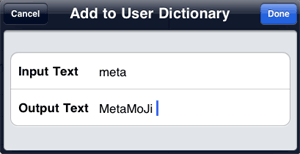
- Tap Done.
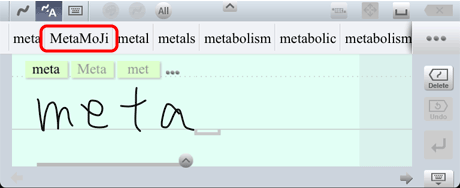
In convert or keyboard mode, when you write or type the input text entered in step 4, the word or phrase entered in step 5 is displayed as a converted alternative.
- You can delete registered words or phrases.
To delete a registered word or phrase, take the following steps: On the user dictionary screen, tap Show User Dictionary. On the show user dictionary screen, tap on the left of the word or phrase you want to delete (the mark changes to
  ). Tap Delete.