
Entering Handwritten Letters - Stroke Mode
Handwritten letters are entered as they are. You can also draw a simple picture.
- On the editor screen, tap the text unit twice to switch it to edit mode.
- If the stroke mode screen is not displayed, tap
 in the upper left of the convert mode screen or onscreen keyboard.
 - On the stroke mode screen, handwrite letters in the input area.


At the end of the handwritten letters,
 is displayed to indicate an interval to be recognized as a space. You can insert a space by starting the next letter after an interval larger than the width of this mark.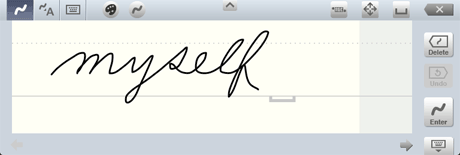
- If the handwritten letters are not automatically entered, tap
 .
.
The handwritten letters are entered in the text unit.
- To change the color or thickness of letters, tap
 or
or  *1 in the upper left of the input area to select the color and thickness, then handwrite letters.
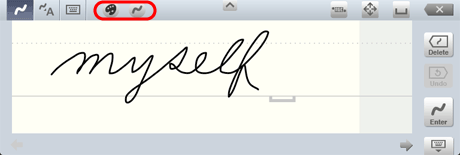
*1 The icon differs depending on the selected color and thickness.
* You can also change the color of letters after entering them.
- You can change how handwritten letters are entered (whether they are entered automatically or manually, and for automatic entry, how long it takes until they are entered).
- You can adjust the size of the interval to be recognized as a space depending on the way you write.
