
Sending a Document by E-mail
- To send the contents of a document in text format, tap to select the text unit you want to send on the editor screen.
If you are editing that text unit, go to step 2.* For conversion into text format, the selected text unit is converted. In this case, handwritten letters are not converted.
- Tap
 > Send E-mail.
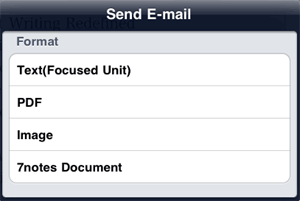
 - On the send e-mail screen, tap to select a format.
- On the new message screen, check and specify the destination, subject, and body.
If you have selected Text(Focused Unit) in step 3, the text contained in the selected text unit is specified as the body of the message. If you have selected a format other than Text(Focused Unit), a file in the selected format is attached to the message. - Tap Send.
- You can specify the destination, subject, and body in advance.
- To display a preview of the document converted into PDF format, tap > Preview PDF.
