
Resizing/Rotating Objects
You can move, rotate, and scale the selected objects by interacting with the displayed “boundary box”.
Resizing Objects
You can resize objects with  or
or  .
.
- Dragging allows you to resize target objects to keep the line thickness as they are.
- Dragging allows you to resize target objects with changing the line thickness.

Rotating Objects
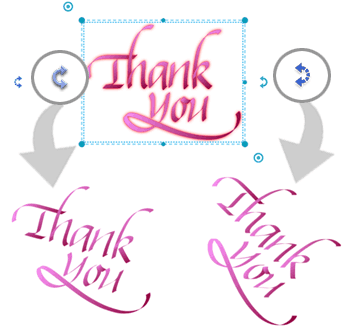
You can rotate objects with  ・
・ or
or  ・
・
- Dragging ・ allows you to rotate objects at any angle.
- Dragging ・ allows you to rotate objects at a 45 degree angle..
MetaMoJi Note Quick Guide
-
What is MetaMoJi Note?
-
Let's Try Lasso!
-
Tips for Effective Editing
-
Techniques for Managing Notes
-
mazec Handwriting Conversion
-
Restrictions